What is Neural Frames?
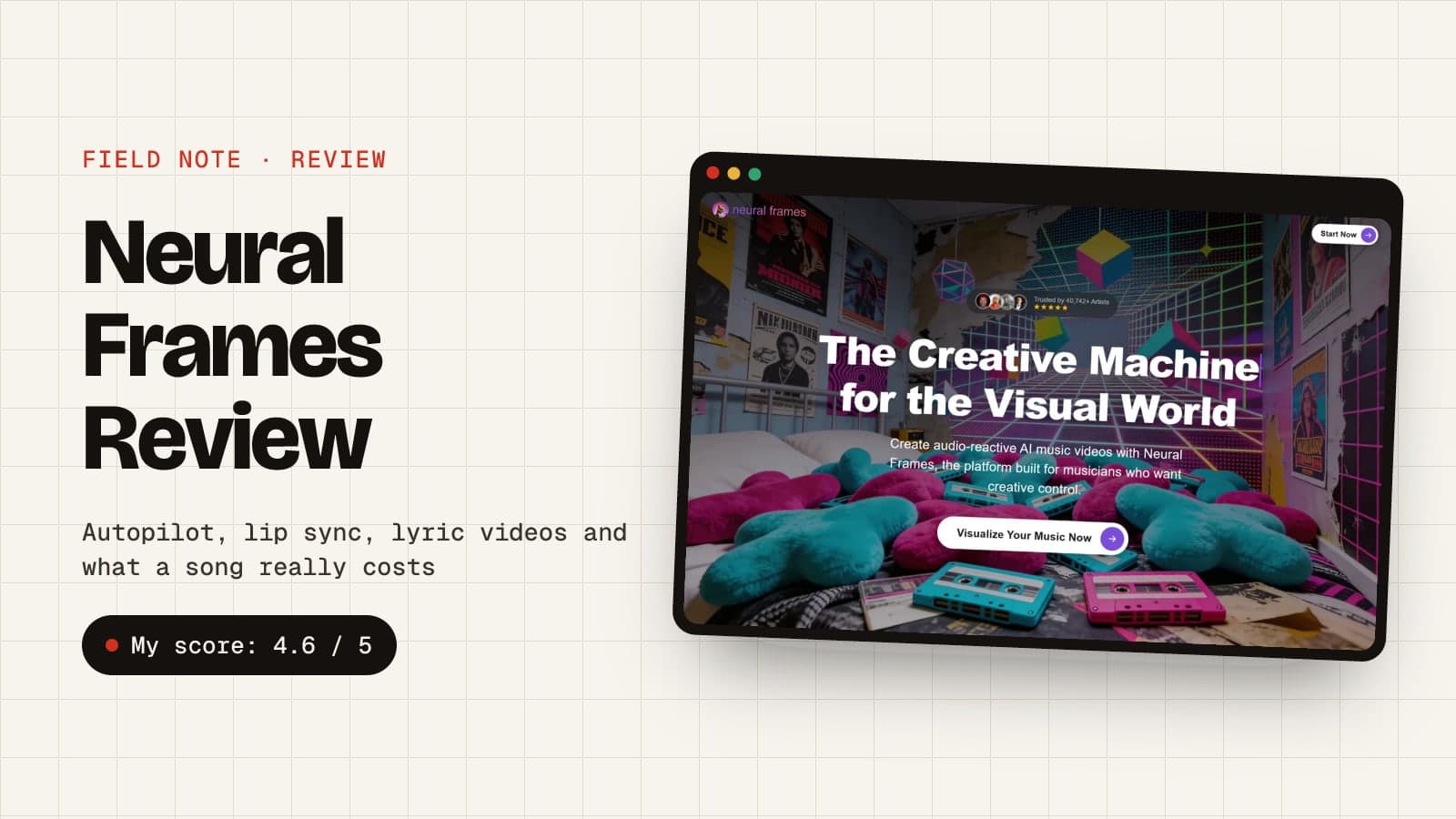
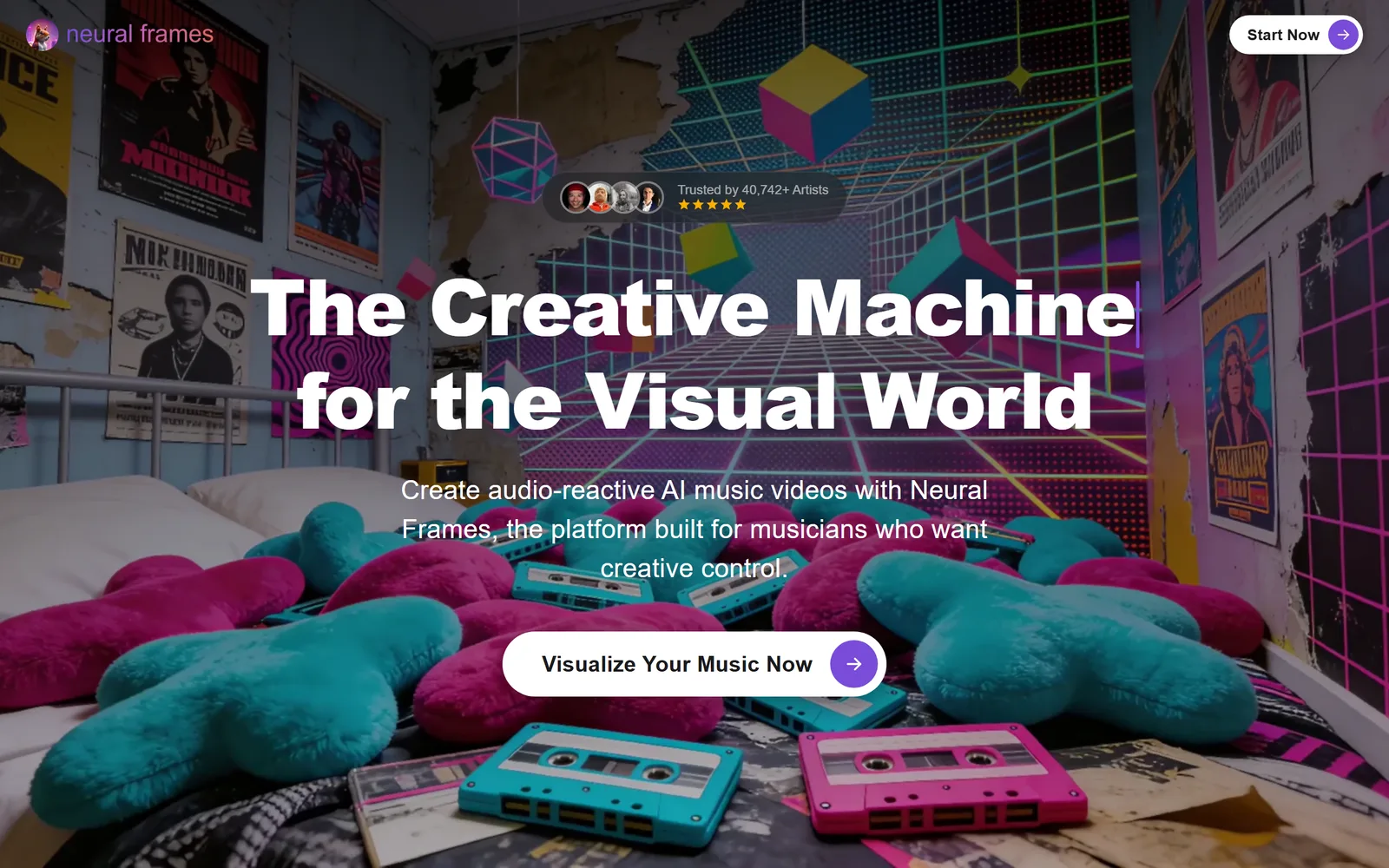
Neural Frames is an AI music video generator built for musicians: you upload a song, and it turns it into an audio-reactive music video, lyric video or lip-sync performance, with visuals that follow the beat, the lyrics and the mood of the track.
It's made by Neural Frames GmbH, a small, bootstrapped team in Berlin. Founder Dr. Nicolai Klemke started it at the end of 2022, after falling in love with AI animation, and it now says more than 40,000 artists have made over 2 million videos with it.
Neural Frames at a glance
| Neural Frames |
|---|
| What it is | An AI music video generator built for musicians |
| Made by | Neural Frames GmbH, a bootstrapped team in Berlin |
| Started | End of 2022, by Dr. Nicolai Klemke |
| Used by | 40,000+ artists, who have made 2 million+ videos |
| Free plan | Yes, watermarked, no credit card needed |
| Paid plans | $39, $99 or $299 a month ($26, $66 or $199 billed yearly) |
| Video length | Full songs (Autopilot prices songs up to 10 minutes) |
| Max resolution | 4K on Neural Ninja and Neural Nirvana, 1080p on Neural Knight |
| Who owns the videos | You do, commercial use included |
Try Neural Frames free →
How does Neural Frames work?
Neural Frames works by analysing your song first (its tempo, key, lyrics, structure and eight separate stems), then using that analysis to drive the video. You pick how hands-on you want to be from four ways of making it:
| Mode | What it does | Best for | Effort |
|---|
| Autopilot | Turns a whole song into a storyboarded music video, lyric video or lip-sync performance in 10 to 15 minutes | Release-day music videos | Low |
| Short-Form Studio | Makes vertical clips for TikTok, Reels and Shorts, and flips horizontal videos to vertical | Promo clips | Low |
| Text-to-video editor | A timeline where every clip can use a different model, like Kling, Seedance or Runway | Cinematic scenes you direct shot by shot | Medium |
| Frame-by-frame editor | Stable Diffusion animation driven by your song’s stems, at 1 credit per second | Trippy, audio-reactive visualizers | High |
Most people start in Autopilot and only open the editors to fix a scene or two. There's even a music generator now, Neural Tunes, so you can write the song and make its video in the same place.
What can Neural Frames' Autopilot do?
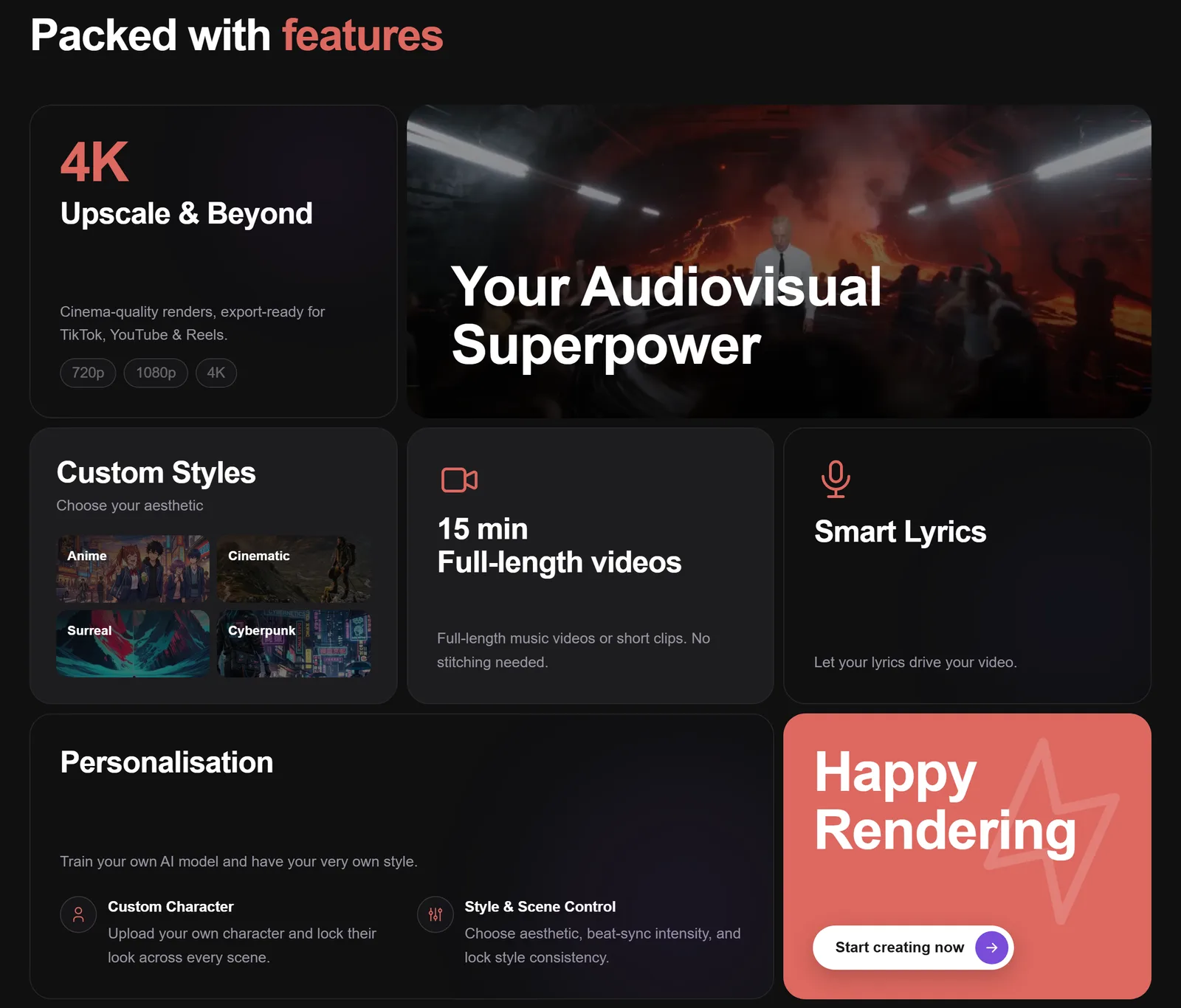
Neural Frames' Autopilot turns a whole song into a finished music video in about 10 to 15 minutes. It reads your lyrics, tempo and key, writes a storyboard, renders keyframes for you to approve, then builds the full video from them.
Here's how an Autopilot video comes together:
- Upload your song. MP3, WAV or FLAC. Autopilot extracts the lyrics, key and tempo automatically.
- Pick a technique and a look. Start from a template or choose a style, characters, a location and how hard the visuals should hit the beat.
- Check the storyboard. It's a mood board for the whole song, so you can test ideas before you spend real credits.
- Approve the keyframes. Re-roll any frame that's not quite right, or describe the change in the chat and let it fix the scene.
- Render and export. Choose punchy Cut edits or smooth Blend transitions, then export in 16:9 or 9:16, up to 4K.
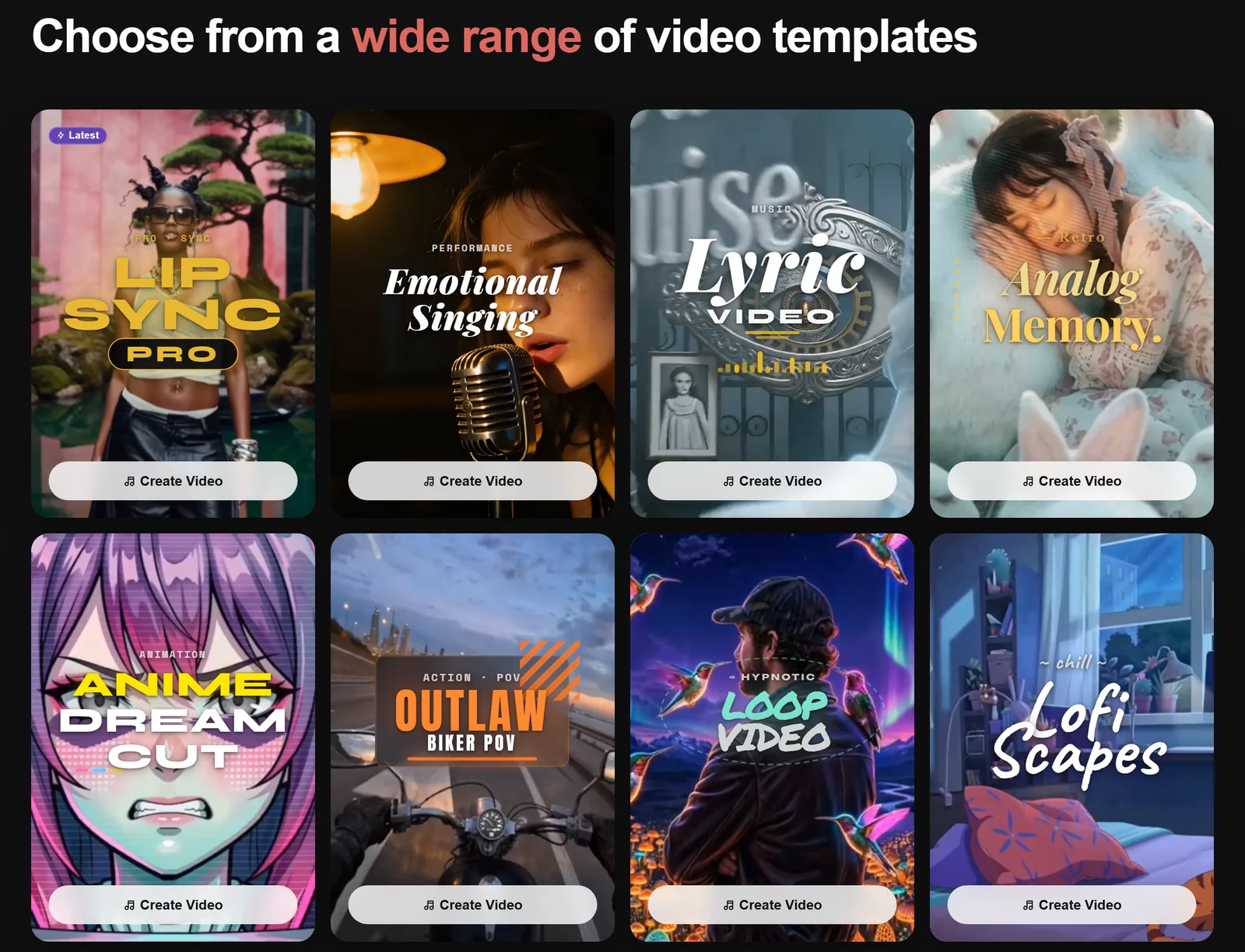
If you're not sure where to start, the templates are the quickest way in: Lipsync Pro, Emotional Singing, Lyric Video, Analog Memory, Anime Dreamcut, Outlaw Biker POV, Loop Video and Lofi Scapes.
AI video still glitches, and Neural Frames is refreshingly honest about it. In its own words, a 4-minute video means about 48 clips, and some will give you giraffes with three legs. So you get one free re-render per minute of video, and failed generations never cost credits.
How do you make a lyric video with Neural Frames?
You make a lyric video in Neural Frames by uploading your song, checking the lyrics Autopilot pulls out of it, then picking the Lyric Video template or the Lyric Showcase technique. Fix any misheard words and split long lines first, because tidy lines give tighter timing.
The clever bit is that the words are generated inside the scenes: carved into a helmet, painted on a wall, glowing in the sky. The trade-off, which Neural Frames points out itself, is that generated text sometimes needs a re-roll, and you don't get word-by-word karaoke highlighting. If you want clean subtitles instead, there's a caption editor built into Autopilot too.

Can Neural Frames make a character sing your song?
Yes. Neural Frames' Vocal Video mode makes a character sing your song with automatic lip sync, and Autopilot places the singing shots where they suit the music best.
You can describe your singer ("mid-20s woman, black hair, white dress") or upload a photo of yourself, and the Character Editor keeps them looking the same across the whole video, and across future videos too. Multi-character videos work as well, which is handy for a band. For the closest likeness, Neural Frames suggests skipping the visual style and using a Kling model for faces.
For your own look across a whole album, you can also train a custom model: 10 to 20 photos for a character, or 50 to 100 images for a visual style.
What are Neural Frames Environments?
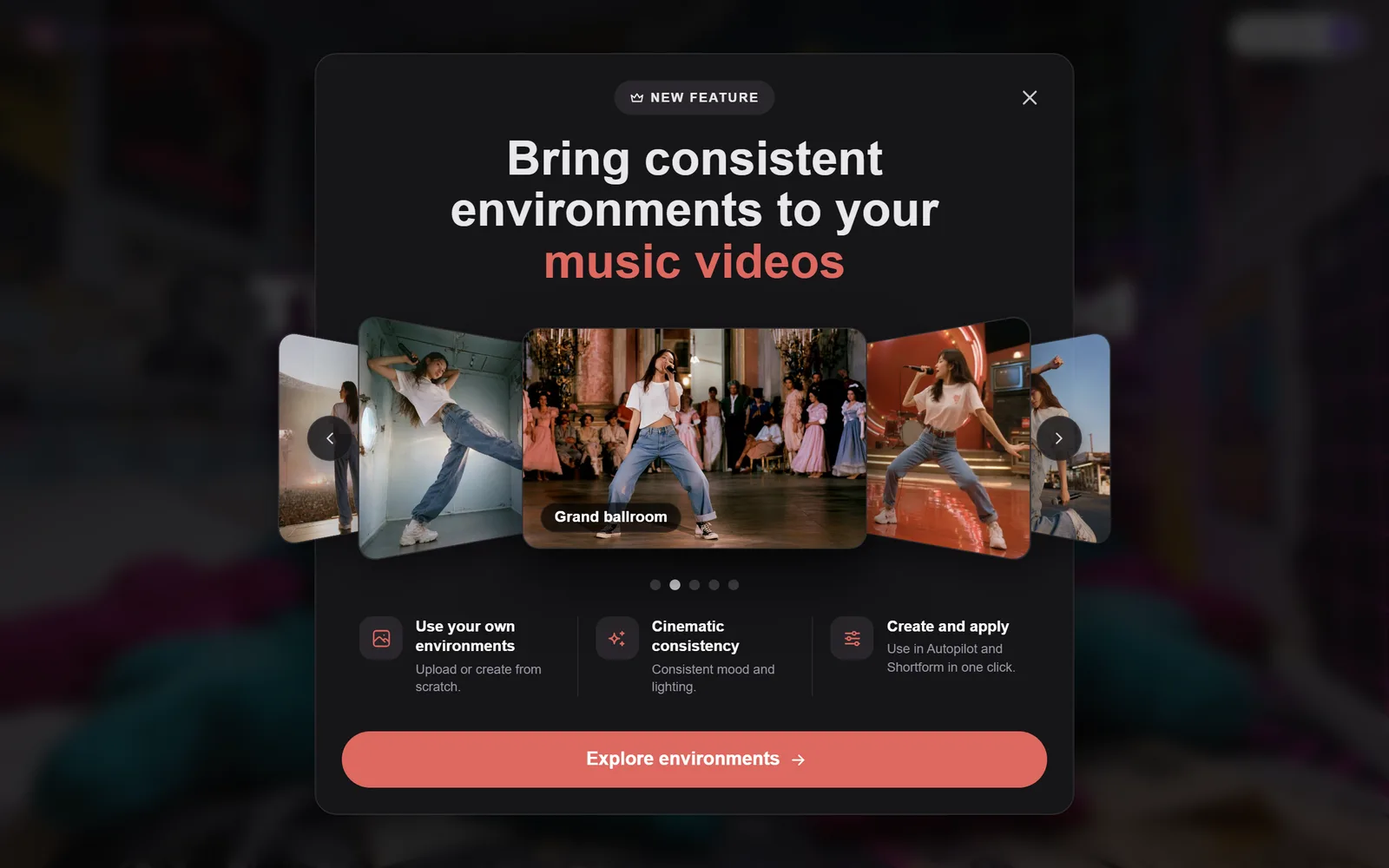
Environments are Neural Frames' newest feature: saved locations, like a grand ballroom or a neon street, that keep the same look, mood and lighting across every scene of your video. You can upload your own or create one from scratch, then apply it in Autopilot or Short-Form Studio in one click.
It fixes one of the biggest tells of an AI music video: a singer who teleports to a new room every four seconds. Here's Neural Frames' own walkthrough:
How does Neural Frames sync visuals to music?
Neural Frames syncs visuals to music by splitting your song into eight stems, from the kick and snare to the bass and vocals, and letting any of them drive the animation.
This is the bit general AI video tools can't touch. In the frame-by-frame editor, you can make the zoom punch on every kick, the camera pan with the bassline and the colours bloom when the vocals come in, with more than 10 parameters to map. If you've ever side-chained a synth to a kick drum in your DAW, it's the same idea, for pictures.
Autopilot works a level up: it follows the song's tempo and structure, so cuts land on the beat and the big visual moments land on the chorus. Stem-based audio reactivity is on paid plans; the free plan gives you the editor without it.
Want the hands-on version? My step-by-step guide shows how to make an AI music video with Neural Frames, from the first frame to the final render.
How much does Neural Frames cost?
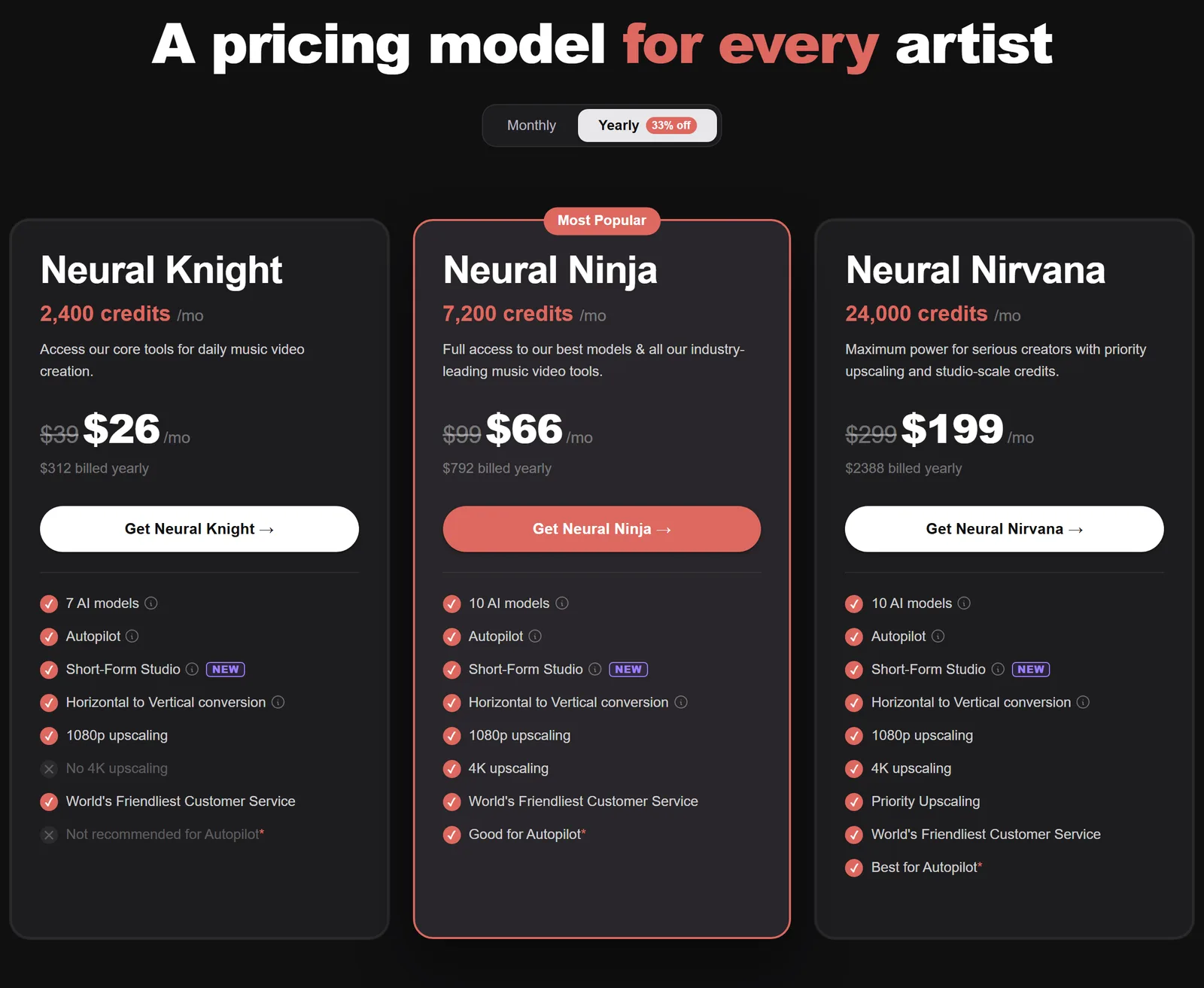
Neural Frames costs $39 a month for Neural Knight, $99 for Neural Ninja and $299 for Neural Nirvana, or $26, $66 and $199 a month if you pay yearly. You can start free, without a credit card, but free videos are watermarked.
| Plan | Monthly | Billed yearly | Credits a month | AI models | Max export | For Autopilot |
|---|
| Neural Knight | $39 | $26 ($312 a year) | 2,400 | 7 | 1080p | Not recommended |
| Neural Ninja | $99 | $66 ($792 a year) | 7,200 | 10 | 4K | Good |
| Neural Nirvana | $299 | $199 ($2,388 a year) | 24,000 | 10 | 4K, priority upscaling | Best |
Every plan includes Autopilot, Short-Form Studio, horizontal-to-vertical conversion and 1080p upscaling. A few credit rules worth knowing:
- Unused credits roll over, up to three times your monthly allowance, as long as you stay subscribed.
- Yearly plans still hand out credits monthly, not all at once.
- You can buy top-up credits whenever you run short.
- Failed generations never cost credits.
- If you cancel, you keep your plan until the end of the period you paid for, then unused credits expire.
See if Neural Frames suits you, free →
How much does a Neural Frames music video cost?
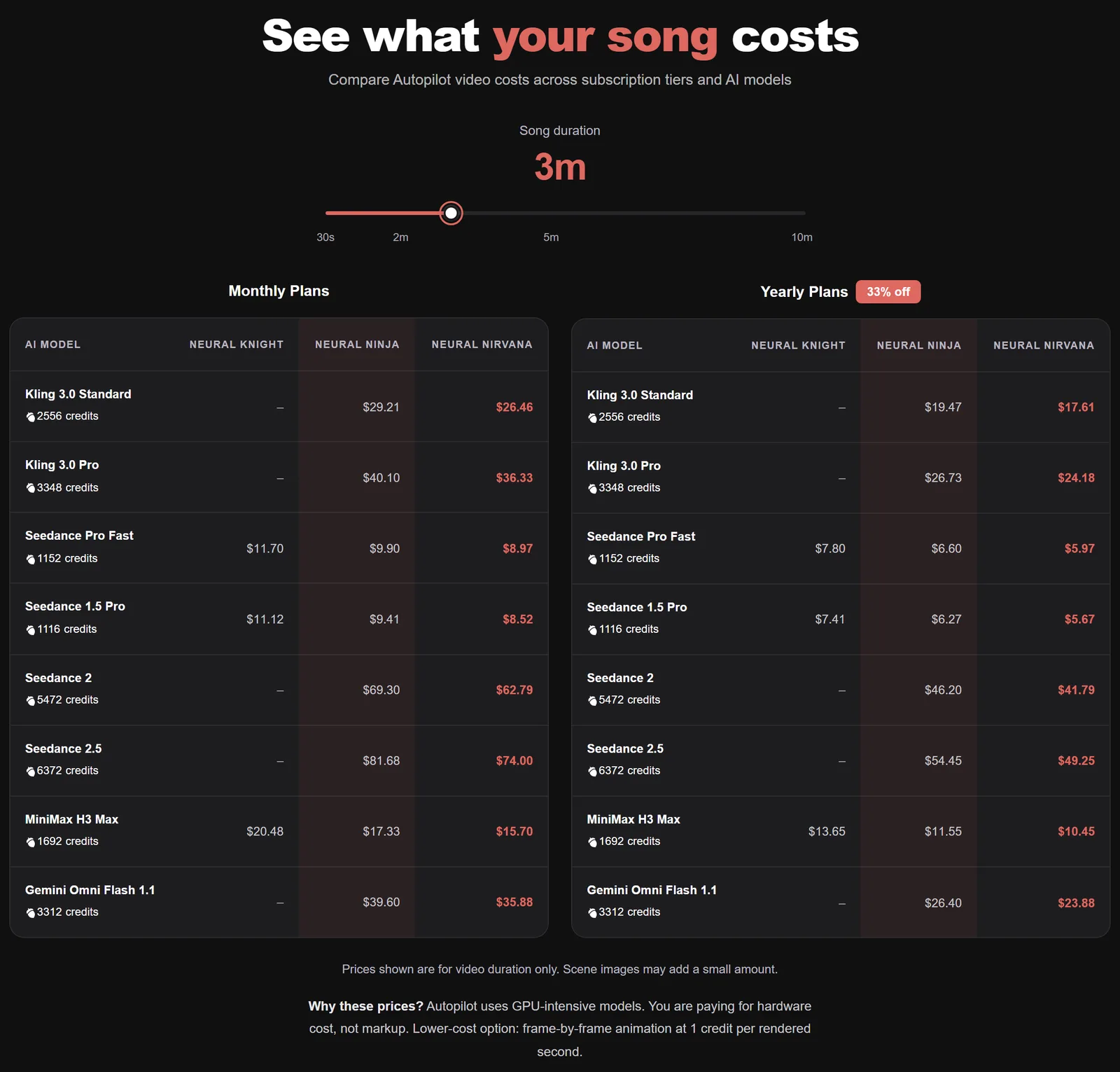
A 3-minute Neural Frames Autopilot video costs between 1,116 and 6,372 credits, depending on the AI model you pick. On the monthly Neural Ninja plan, that's about $15 to $88, or $10 to $58 if you pay yearly. The credit figures come straight from Neural Frames' own cost calculator.
| AI model | Credits a minute | 3-minute song | Neural Ninja, monthly | Neural Ninja, yearly |
|---|
| Seedance 1.5 Pro | 372 | 1,116 | $15.35 | $10.23 |
| Seedance Pro Fast | 384 | 1,152 | $15.84 | $10.56 |
| MiniMax H3 Max | 564 | 1,692 | $23.27 | $15.51 |
| Kling 3.0 Standard | 852 | 2,556 | $35.15 | $23.43 |
| Gemini Omni Flash 1.1 | 1,104 | 3,312 | $45.54 | $30.36 |
| Kling 3.0 Pro | 1,116 | 3,348 | $46.03 | $30.69 |
| Seedance 2 | 1,824 | 5,472 | $75.24 | $50.16 |
| Seedance 2.5 | 2,124 | 6,372 | $87.61 | $58.41 |
I've priced the credits at Neural Ninja's rate. Neural Frames' calculator shows smaller dollar amounts, because it prices the video clips only and leaves out the storyboard images that are in its credit totals. Frame-by-frame animation is the budget option at 1 credit per rendered second, so a 3-minute visualizer is just 180 credits.
How many music videos do you get a month on each Neural Frames plan?
Here's how many 3-minute Autopilot videos each plan's monthly credits cover, before rollover or top-ups:
| Plan | Seedance 1.5 Pro | Kling 3.0 Standard | Kling 3.0 Pro |
|---|
| Neural Knight (2,400 credits) | 2 | Not enough credits | Not enough credits |
| Neural Ninja (7,200 credits) | 6 | 2 | 2 |
| Neural Nirvana (24,000 credits) | 21 | 9 | 7 |
That's why Neural Frames itself labels Neural Knight "not recommended for Autopilot". Knight is great for frame-by-frame visualizers (2,400 credits is 40 minutes of them), but if you want Autopilot videos on Kling, Neural Ninja is the real starting point.
How do you make Neural Frames credits go further?
- Draft cheap, finish expensive. Rough the video out on Seedance 1.5 Pro (372 credits a minute), then re-render the hero shots on Kling 3.0 Pro.
- Pay yearly. It takes 33% off every plan, and Neural Frames calls it the most cost-effective way to make videos.
- Use your free re-renders first. You get one per minute of video, so fix glitches with those before spending credits.
- Lean on the storyboard. It's the cheap stage, so test styles and characters there, not in the final render.
- Use frame-by-frame for visualizers. At 1 credit a second, it's the cheapest way to get a video for every track.
Is Neural Frames legit?
Yes. Neural Frames is a real, registered company (Neural Frames GmbH in Berlin) that's been running since the end of 2022, and it says more than 40,000 artists have made over 2 million videos on it. It has a 4.0 TrustScore on Trustpilot from 94 reviews.

On Trustpilot, 67% of reviewers give it five stars and 13% give it one. The praise is consistent: it's easy to use, it keeps getting new features, and the support team gets more love than any other part of the product. The complaints mostly come down to cost, with credits disappearing faster than people expected, plus the usual AI-video gripes like glitchy scenes and stiff lip sync.
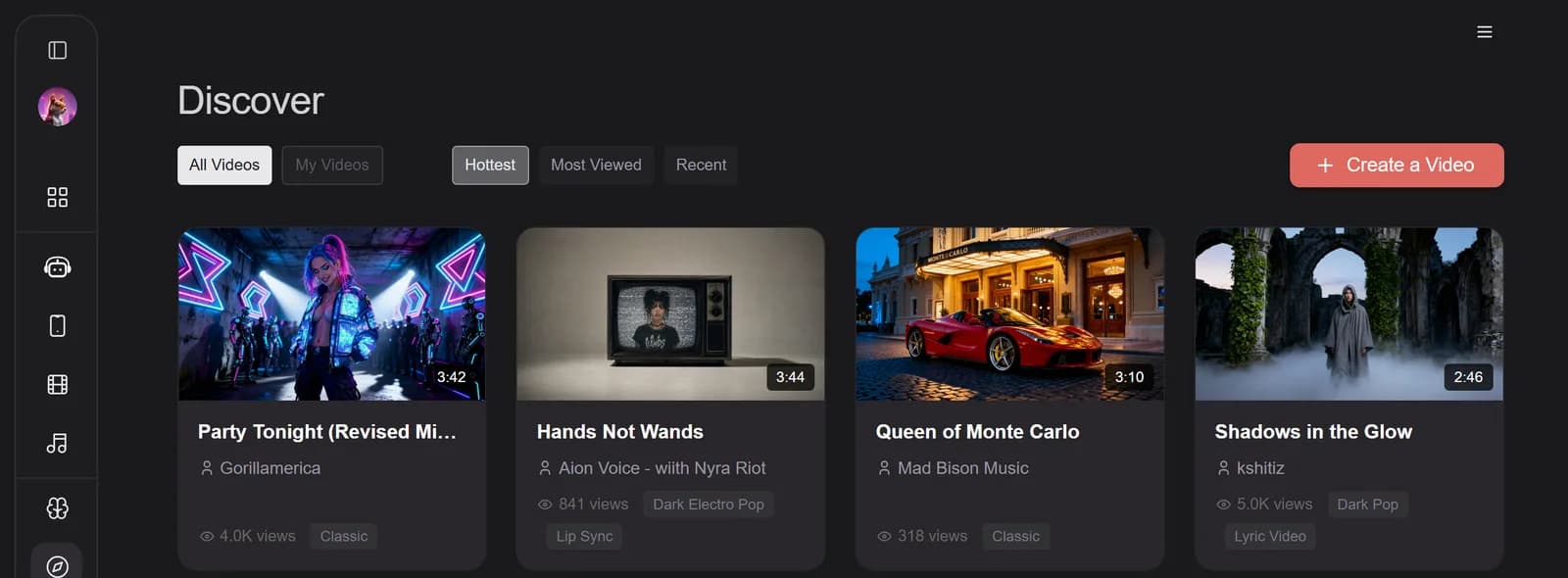
You can also see what people are really making. Discover is Neural Frames' public gallery of finished videos, sorted by hottest, most viewed and most recent:
If you get stuck, there's an active Neural Frames Discord where the team hangs out, and a steady stream of tutorials on the Neural Frames YouTube channel.
What are the pros and cons of Neural Frames?
The biggest pro of Neural Frames is visuals that genuinely follow your music; the biggest con is how fast the premium AI models eat credits.
What I like
- Visuals that follow the music, with eight stems that can each drive the animation
- Autopilot makes a full-length music video in about 15 minutes
- Lyric videos, lip sync, consistent characters and locations, all built in
- Kling 3.0, Seedance 2.5 and Gemini Omni in one subscription
- Up to 4K, and you own your videos outright
- Free to start, failed generations cost nothing and credits roll over
What I don't
- Premium models chew through credits: a 3-minute Seedance 2.5 video is 6,372 of them
- Neural Knight is too small for Autopilot on Kling, so most people need Neural Ninja
- Free videos are watermarked, with no stem syncing
- AI glitches still happen, so expect to re-roll a few shots
- Lip sync is good, but freebeat makes it the main event
- No blanket refund if it's not for you
Neural Frames vs freebeat vs Kaiber: which is better?
Neural Frames is better if you want visuals that follow your music and full creative control. freebeat is better for quick, singer-led performance videos, especially from a Suno link, and Kaiber is better for pumping out batches of beat-synced social clips.
| Neural Frames | freebeat | Kaiber |
|---|
| Starts at | Free to start; $39/month ($26 yearly) | Free plan; $6.99/week or $34.99/month | $5 five-day trial; $10/month ($8 yearly) |
| How it follows your song | Eight stems drive the visuals, plus tempo, key and lyrics | Beats, bars and song structure | Beat Sync and Music Video Montage |
| Standout | Audio-reactive control, Autopilot, 4K | Lip sync, and you can paste a Suno link | Batches of beat-synced social clips |
| Best for | Musicians who want control | Quick singer-led performance videos | TikTok and Reels promo clips |
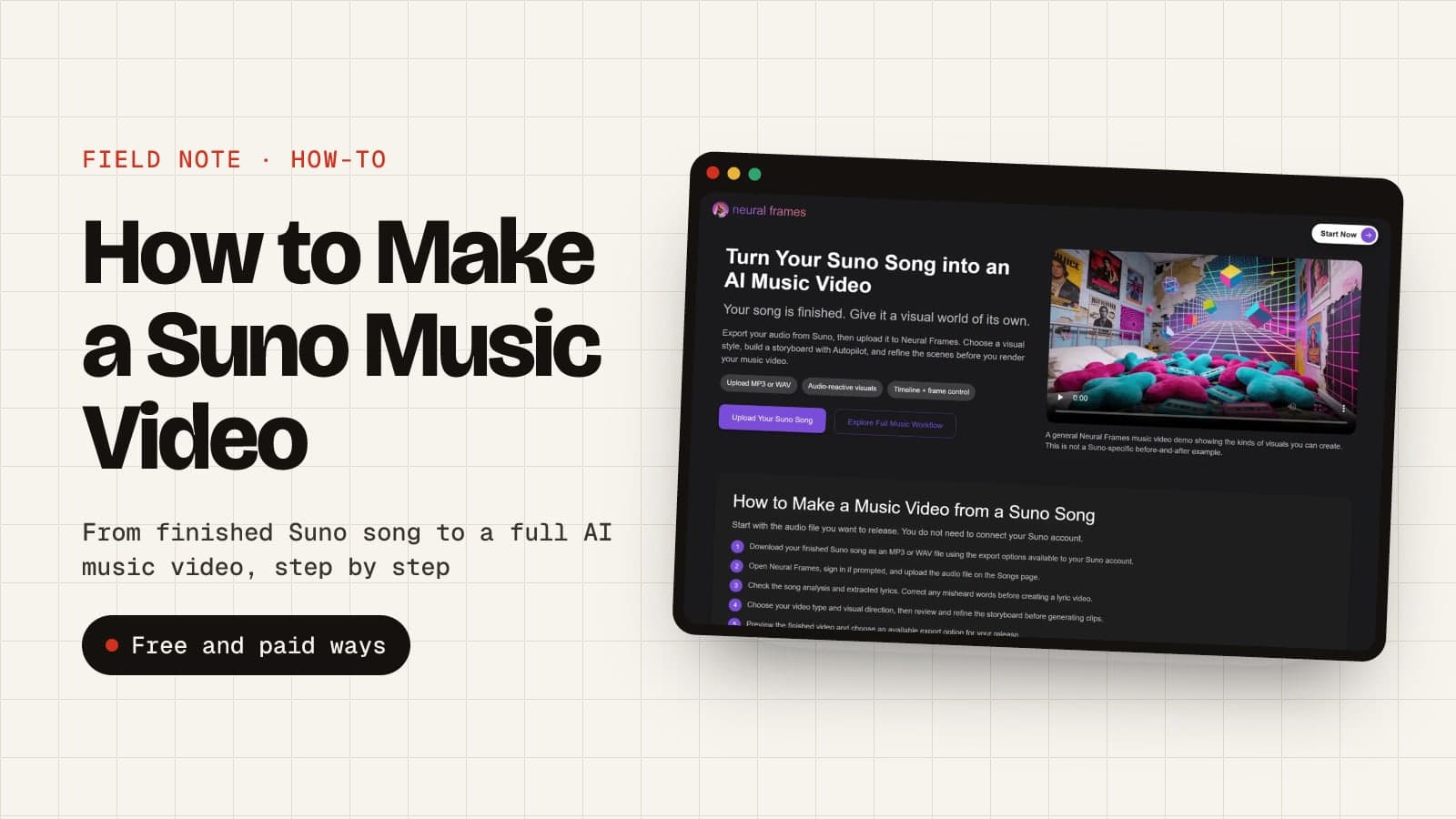
One more difference: Neural Frames exports up to 4K, while freebeat tops out at 1080p on its higher plans. For the full line-up, see my list of the best AI music video generators, or if your song came out of Suno, my guide to making a music video for a Suno song.
Who should use Neural Frames?
Neural Frames is for musicians, producers and labels who release music regularly and want videos that actually move with the track. Here's how I'd decide:
| If you... | Pick |
|---|
| You release music regularly and want a video for every single | Neural Frames, Neural Ninja billed yearly |
| You make electronic or instrumental music and want visualizers | Neural Frames’ frame-by-frame editor |
| You run a label or make videos for clients | Neural Frames, Neural Nirvana |
| You want a lip-syncing singer on the smallest budget | freebeat |
| You want a pile of beat-synced TikToks from one track | Kaiber |
| You just want to see what an AI music video looks like | Neural Frames’ free start |
Indie artist on a budget? My rundown of the benefits of AI music video generators covers why a monthly plan beats saving up for one big shoot.
Is Neural Frames worth it?
Yes, if you make music and want videos that actually move with your track. Neural Frames is still the most complete AI music video generator I've used: Autopilot gets you a finished, character-consistent video in about 15 minutes, and the frame-by-frame editor gives you control no other tool comes close to.
It's not cheap if you live on the premium models. My advice: start free, and if you're releasing more than a couple of songs a year, go straight to Neural Ninja on yearly billing. Draft on Seedance, finish on Kling, and you'll get a few proper music videos a month for less than a single day of filming.
Try Neural Frames free →